

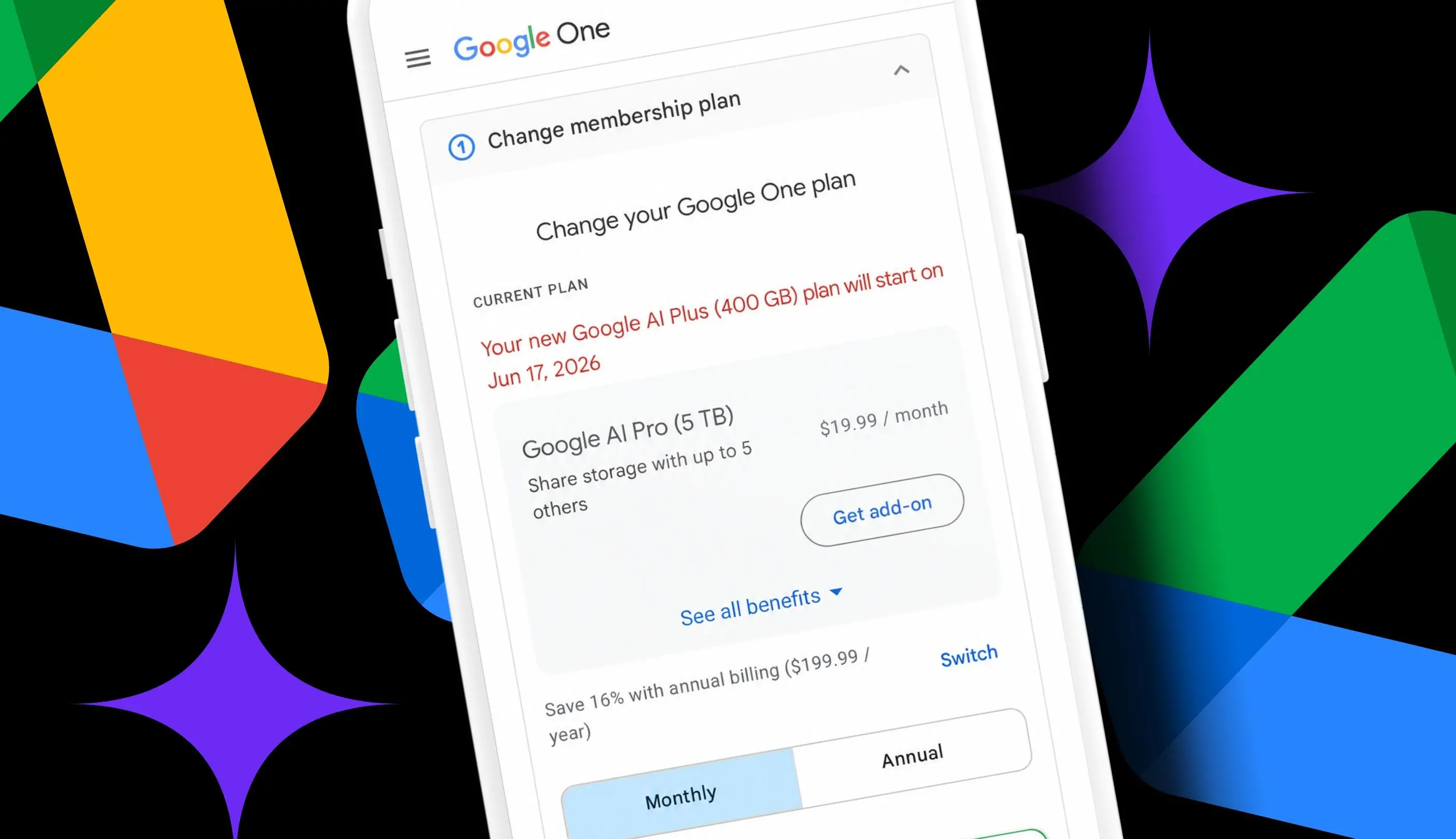
A longtime Google Drive user with roughly 340GB of files, photos, and email attachments recently found a straightforward way to cut a recurring subscription: downgrade from Google AI Pro to Google AI Plus. The move keeps enough cloud storage for their needs while lowering the monthly bill from $19.99 to $4.99. Over 12 months, the difference is $180.
The decision was less about rejecting AI tools than about matching a plan to real usage. After 14 years of using Docs, Sheets, Slides, Photos, and uploading files, the account had long outgrown Google's free 15GB allowance. But the premium AI features in Google AI Pro, including higher Gemini usage limits and access to Gemini 3 Pro, were rarely used. Google AI Plus now includes 400GB of storage, which covers the current 340GB footprint with about 60GB to spare.
Key facts at a glance
- Google AI Plus now includes 400GB of storage for $4.99 a month.
- Google AI Pro costs $19.99 a month and includes 5TB of storage, higher Gemini usage limits, and Gemini 3 Pro access.
- A user storing about 340GB can move to the 400GB AI Plus plan without immediately running out of space.
- Downgrading from AI Pro to AI Plus 400GB saves $180 a year.
- Google AI Plus also has a 2TB option at $9.99 a month, which would save $120 a year for the same user.
- Google One membership changes can be made on the web or in the mobile app.
- The 400GB pool is shared across Drive, Gmail, and Photos and can be shared with five family accounts.
- Downgrading may remove higher Gemini usage limits, Gemini 3 Pro, YouTube Premium Lite Individual, Google Home Premium, and Google Health Premium.
Why storage, not AI, drove the downgrade
Cloud storage is one of those subscriptions that becomes invisible until it becomes expensive. Google accounts start with 15GB of free storage, and that allowance is shared across Drive, Gmail, and Photos. A few years of documents, spreadsheets, slide decks, photo backups, and email attachments can fill that space quickly. For the user in this case, 14 years of accumulated digital files produced about 340GB of data. That is far beyond the free tier, but it is also far below the 5TB included with Google AI Pro.
The problem was not that Google AI Pro was a bad plan. It was that the plan was oversized for the job. The user needed storage first and AI second. Google AI Pro bundles 5TB of storage with premium Gemini features, including higher usage limits and access to Gemini 3 Pro. But the user rarely used Gemini enough to justify the AI portion of the bill. Paying $19.99 a month for 5TB when only about 340GB was in use meant paying for capacity and features that were not part of the daily workflow.
Google AI Plus changed that calculation. At $4.99 a month, it now includes 400GB of storage. That is enough to cover the existing 340GB footprint and leave roughly 60GB of headroom. The plan still includes Gemini access, so the user does not lose AI tools entirely. The difference is that the AI features are more limited and the storage is smaller. For a storage-first user, that trade-off is easier to accept than a $20 monthly bill.
The $180 math behind the switch
The annual savings are simple to calculate. Google AI Pro at $19.99 a month costs $239.88 a year before tax. Google AI Plus at $4.99 a month costs $59.88 a year before tax. The difference is $180. That is a meaningful cut for a subscription that had become part of the background expenses of digital life.
The savings do not stop at the 400GB plan. Google AI Plus also offers a 2TB option at $9.99 a month. For the same user, that would cost $119.88 a year and save $120 compared with Google AI Pro. The 2TB option may be the better fit for someone who expects photo backups, email attachments, and Drive uploads to keep growing. It offers five times the storage of the 400GB plan while still costing half of Google AI Pro.
For the user storing 340GB, the 400GB plan is the cheapest option that covers current needs. The 2TB plan costs more but provides a much larger buffer. The choice comes down to how quickly the account is growing and how much risk the user wants to take with a 60GB margin.
What changes after switching
Downgrading is not only a price change. It also changes the feature set. The user would lose higher Gemini AI usage limits and access to Gemini 3 Pro. They would also lose YouTube Premium Lite Individual, Google Home Premium, and Google Health Premium. Those bundled benefits may be valuable to some subscribers, but the user in this case did not really use them.
What remains is still substantial. The user would keep NotebookLM and Google Flow, plus the 400GB of Drive, Photos, and Gmail storage. That storage is shared across five family accounts, so the plan can support a household rather than just one person. Before switching, it is important to expand all the benefit details and read through each plan carefully. A cheaper plan can be a good fit, but only if the lost features are not part of the user's regular routine.
Heavy Gemini users should be more cautious. Someone who relies on the highest usage limits or needs Gemini 3 Pro for work may find the AI Plus limits too restrictive. The same applies to anyone who actively uses YouTube Premium Lite Individual, Google Home Premium, or Google Health Premium. For those users, the $180 savings may not outweigh the loss of services they already use.
How to check storage and change plans
The first step is to check current Google storage. Go to the Google One dashboard in a browser or open the Google One app on a phone. Make sure the Google account tied to the paid storage plan is signed in. On the web, Google shows the current plan at the top and then breaks down how much space is being used across Drive, Gmail, and Photos. In the mobile app, storage appears at the top of the Home screen, and the current plan appears near the bottom.
In this case, the account was using 6% of the 5TB included with Google AI Pro. That is about 340GB, which means the 400GB AI Plus plan would cover the current footprint. The next step is to open Google One membership settings. On the web, look for the current plan area and click the Manage button. In the Google One app, look for the option to manage the membership toward the bottom of the Home screen.
While managing the plan, it may be necessary to click or tap See more plans to view the AI Plus options, especially when planning to downgrade. Those options may be hidden by default. Expand all the benefit details and compare each plan carefully. Google now has seven options, ranging from Basic with 100GB of storage and no AI to Google AI Ultra with 20TB and Gemini Pro. There is also a $9.99 AI Plus option with the same benefits as the $4.99 plan but with 2TB of storage.
When ready, click or tap the button on the chosen plan to downgrade, upgrade, or subscribe. The change is handled through the Google One membership settings, so there is no need to cancel the entire account and start over. That flexibility is useful for subscribers who want to test a cheaper tier before committing to a longer-term change.
The risk of running out of space
The 400GB plan is only comfortable if the account stays below the limit. The user would have about 60GB of space left after switching. That sounds like a decent buffer, but it is not much when Gmail attachments, Drive uploads, and Photos backups keep piling up over time. A few large video files, a new phone backup, or years of email attachments could eat into that margin faster than expected.
Google says that if an account goes over its quota, the user may lose the ability to upload files to Drive, back up photos and videos, create new Google Workspace docs, and use Gmail normally. That makes storage monitoring important. The user should check the storage breakdown periodically and clean out duplicates, large files, and old attachments if the account gets close to the limit. If the buffer looks too small, the 2TB AI Plus plan is a middle ground that still saves $120 a year compared with Google AI Pro.
Who should consider the switch
The switch makes the most sense for users who need more than the free 15GB but less than 400GB of storage. It is also a good fit for people who rarely use advanced Gemini features and do not rely on the bundled YouTube, Home, or Health benefits. These users are paying for storage first, and Google AI Plus now offers a reasonable storage tier with some AI access included.
Users who store more than 400GB should stay on a larger plan or choose the 2TB AI Plus option. Heavy Gemini users should compare the AI limits carefully before downgrading. Families sharing a storage pool should add up the total usage across all accounts before switching. The 400GB plan is shared across five family accounts, so one heavy user can affect everyone in the group.
The bigger shift in AI subscriptions
The change also reflects a broader shift in how AI subscriptions are packaged. Google AI Plus launched at $7.99 a month with 200GB of storage. It now costs $4.99 a month and includes 400GB. That is a lower price and double the storage, which makes the entry tier more competitive. At the same time, Google's plan lineup has become more complex, with seven options spanning Basic storage, AI Plus tiers, AI Pro, and AI Ultra.
For consumers, the lesson is to audit bundled subscriptions regularly. AI plans often combine storage, model access, and media or home benefits. The headline feature may be AI, but the real value for many users is the storage. When a plan is oversized, downgrading can free up budget without disrupting the tools that are actually used. The savings can be modest on a monthly basis and significant over a year.
For the user in this case, the switch leaves about 60GB of headroom and cuts the annual bill by $180. The main task is keeping an eye on storage growth and re-evaluating before the buffer disappears.
Source: ZDNET News