

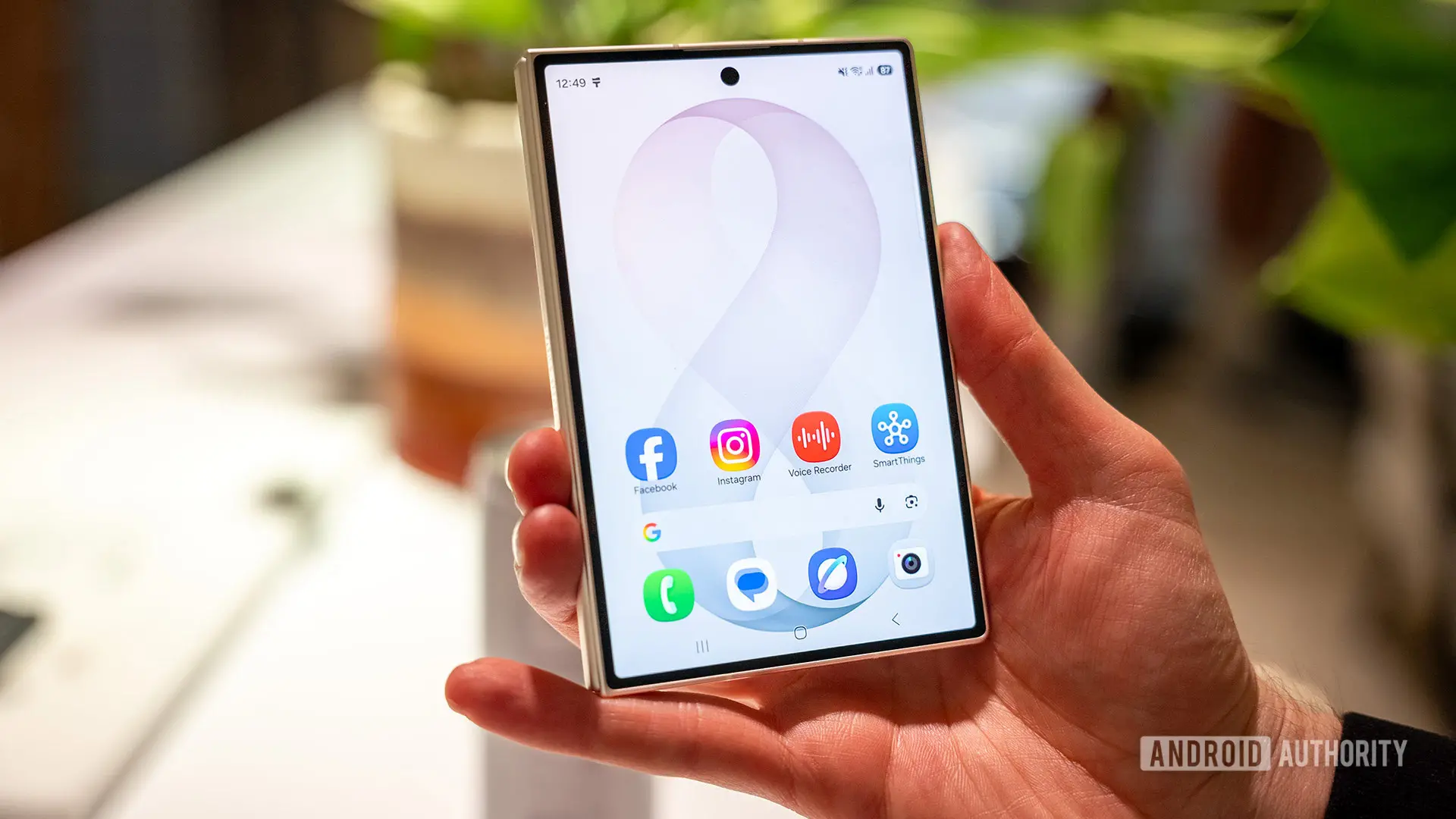
Samsung's latest foldable smartphones, the Galaxy Z Fold 8 and Galaxy Z Fold 8 Ultra, have arrived with a bevy of new software features. Among them, one particularly handy addition has flown under the radar: per-screen rotation lock. This feature addresses a long-standing frustration for foldable users who frequently switch between the cover display and the expansive inner screen.
As reported by a Redditor, the Galaxy Z Fold 8 series now saves the rotation lock setting individually for each screen. This means that if you prefer to use the inner display in landscape orientation while keeping the cover screen in portrait, the phone will remember those preferences. You no longer need to manually toggle rotation each time you open or close the device.
How per-screen rotation lock works
The implementation is straightforward. When you set the rotation lock on the cover display, that setting is stored independently. When you unfold the phone, the inner screen retains its own rotation lock state—whether it's locked in portrait, locked in landscape, or free to rotate automatically. Switching back to the cover display restores its previous state. This persistent behavior eliminates the jarring experience of having the screen suddenly reorient when you open or close your foldable.
Previously, Samsung users could achieve a similar effect by creating a Routine in the Good Lock or Modes and Routines app. However, those workarounds were less intuitive and often required multiple steps to configure. With the new built-in feature, Samsung has streamlined the process, making it accessible to all users without additional setup. The change is part of the One UI 9 update, which brings several other foldable-specific improvements.
The evolution of foldable screen orientation
Foldable smartphones present unique challenges for screen orientation. Traditional phones have a single display, so rotation behavior is uniform. On a foldable, the user may naturally hold the cover screen in portrait while the inner screen is often used in landscape for media consumption, gaming, or multitasking. Without per-screen rotation lock, users had to manually toggle rotation or rely on clunky routines. Samsung's new approach is a clear sign that the company is listening to user feedback and refining its software to match the hardware's versatility.
This feature is not just about convenience; it also enhances productivity. For instance, a user might keep the cover screen locked in portrait for quick calls or notifications, then unfold to a landscape-locked inner screen for watching videos or reading documents. The automatic memory reduces friction and allows users to focus on their tasks rather than device settings.
Other screen-related improvements in the Fold 8 series
Alongside per-screen rotation lock, the Galaxy Z Fold 8 series also introduces per-app screen zoom controls. This feature lets users adjust the zoom level for individual applications, enabling finer control over how content is displayed on the large inner screen. For example, you can set a messaging app to show more text, while keeping a social media app at a default zoom. Combined, these updates make Samsung's foldable software more mature than ever.
The Galaxy Z Fold 8 and Fold 8 Ultra share the same core software features, but the Ultra model offers a thinner design and a larger battery, along with flagship specs. Both devices are priced competitively in the premium segment, with the standard Fold 8 starting at a lower price point than its predecessor, aiming to attract more users to the foldable form factor.
Why Google and others should take note
Samsung's per-screen rotation lock sets a new standard for foldable software. Google's Pixel Fold, along with devices from Honor, Oppo, and other manufacturers, currently lack this level of granularity. While some Android skins offer basic rotation fixes, none provide per-screen memory built into the system settings. By adopting a similar feature, competitors could greatly enhance the user experience on their own foldables.
Moreover, there is no technical reason why this feature cannot be retroactively added to older foldable devices via software updates. Samsung itself could bring per-screen rotation lock to the Galaxy Z Fold 5, Fold 6, and Fold 7 through the One UI 9 update. Google could similarly include it in Android's base code for all foldables. This would be a win for the entire ecosystem.
The impact on daily use
For early adopters, the difference is subtle but meaningful. Imagine watching a YouTube video on the inner screen in landscape. When you fold the phone to answer a quick message, the cover screen remains in its portrait-locked state, preventing the awkward reorientation. This seamless transition feels natural and reduces cognitive load. Similarly, if you use the cover screen for navigation in portrait, unfolding the phone for a wider map view keeps the inner screen in its preferred landscape orientation.
The feature also benefits accessibility. Users with motor impairments no longer need to perform extra steps to lock rotation each time they switch screens. It's a small change that reduces friction for everyone.
Technical background and implementation
While Samsung has not officially detailed the technical implementation, it likely involves storing the rotation lock state per display in the system settings database. The Android framework already supports per-display configurations, but Samsung's custom One UI layer extends this to user-facing rotation lock. This is a clever use of existing APIs, and other OEMs could replicate it with minimal effort.
The feature was initially spotted on the Galaxy Z Fold 8 series running One UI 9 based on Android 16. Given Samsung's track record of bringing new software features to older devices, it is highly probable that the company will include per-screen rotation lock in the upcoming One UI 9 update for the Galaxy Z Fold 5, Fold 6, and Fold 7. This would be consistent with Samsung's commitment to providing up to four generations of OS updates.
Comparison with competitors
Honor's Magic V series and Oppo's Find N series have their own foldable software tweaks, but none offer per-screen rotation lock out of the box. Google's Pixel Fold relies on Android's standard rotation lock, which applies to all screens uniformly. This means users of those devices must either accept automatic rotation or manually toggle the lock each time. Samsung's approach is more polished and user-friendly.
In the broader context of foldable innovation, Samsung continues to lead in software refinement. Features like Flex Mode, App Continuity, and Taskbar have set benchmarks. Per-screen rotation lock is another example of thoughtful design that addresses real-world usage patterns.
Future possibilities
Looking ahead, per-screen rotation lock could be expanded to include per-app settings, allowing users to define rotation lock for specific applications on each display. Samsung's per-app screen zoom control already exists, so a similar extension for rotation is plausible. Additionally, the feature could be integrated with Samsung DeX, enabling different orientations when connected to external monitors.
As foldable technology matures, software will play an increasingly important role. Features that simplify transitions between display modes are essential for mainstream adoption. Samsung's latest update demonstrates that the company is investing heavily in this area, and we hope other manufacturers follow suit.
In summary, the Galaxy Z Fold 8 series' per-screen rotation lock is a subtle but powerful improvement. It eliminates a persistent annoyance and makes using a foldable more intuitive. We expect this feature to become a staple in future foldable devices, and we urge Google, Honor, Oppo, and others to incorporate similar functionality into their own software skins. The result will be a better experience for all foldable users.
Source: Android Authority News